Your accountant stops emailing.
Connect Xero, QuickBooks, or FreeAgent once. Every invoice you create in Sorted lands in your accounting software automatically. No spreadsheets, no typing it twice, no weekend admin.
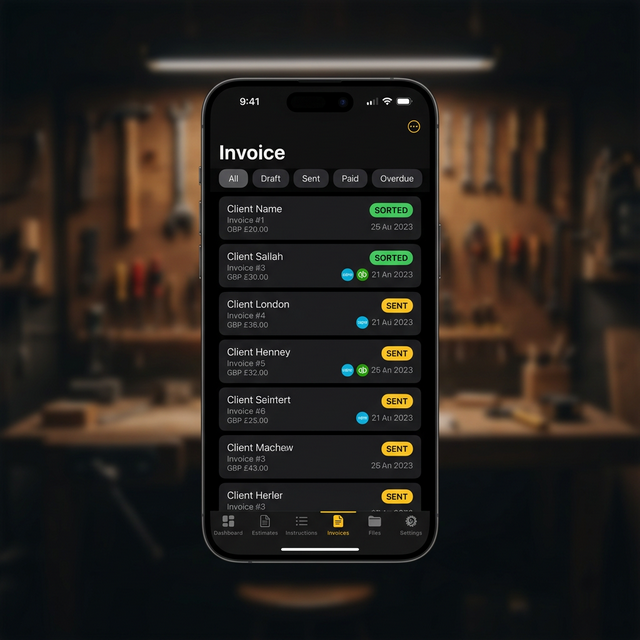
Do the job. Not the bookkeeping.
One-tap push
Create an invoice in Sorted, tap “Send to Xero” — it appears in your accounting software instantly. No copy-paste.
Status tracking
When the invoice gets paid in Xero/QuickBooks/FreeAgent, Sorted updates automatically. No more “has Dave paid yet?”
CSV export too
Prefer to upload a spreadsheet? Export your invoices to CSV in Xero, QuickBooks, or FreeAgent format.
Works with the software your accountant uses
 Xero
XeroOAuth PKCE connection. Invoices appear as Authorised with full contact details.
 QuickBooks Online
OAuth connection. Full invoice with customer, line items, VAT, and discount.
 FreeAgent
OAuth 2.0 connection. Invoices created as Drafts with all line items.
All three can be connected simultaneously. Each uses its own authentication.
How it works
Connect once
Go to Settings → Integrations, tap your accounting app, and sign in. Takes 30 seconds.
Send invoices
From any invoice, tap "Send to Xero" (or QuickBooks, or FreeAgent). It lands in your accounting software instantly.
Forget about it
Status syncs automatically. When it's paid in Xero, it shows as paid in Sorted. Your accountant stops asking questions.
Get your evenings back. Go Pro.
Integrations are included with Sorted Pro — £9.99/month or £99/year. Your first 5 invoices are free to try.
Download Sorted